The wait is over! The 102nd TOPIK (Test of Proficiency in Korean) result is officially released, and thousands of learners around the world will be checking their scores online.
To make it easier for you, we’ve created a clear, simple, and accurate guide that explains how to check your TOPIK score without any confusion.
Whether this is your first time taking TOPIK or you’ve attempted it before, follow the steps below to access and download your official result smoothly.
How to Check Your Result In 6 Simple Steps
STEP 1 - Visit the Official TOPIK Website
Go to the official TOPIK portal: www.topik.go.kr (CLICK HERE)
We recommend opening it on a laptop or desktop, as the mobile site sometimes hangs or fails to load during peak traffic.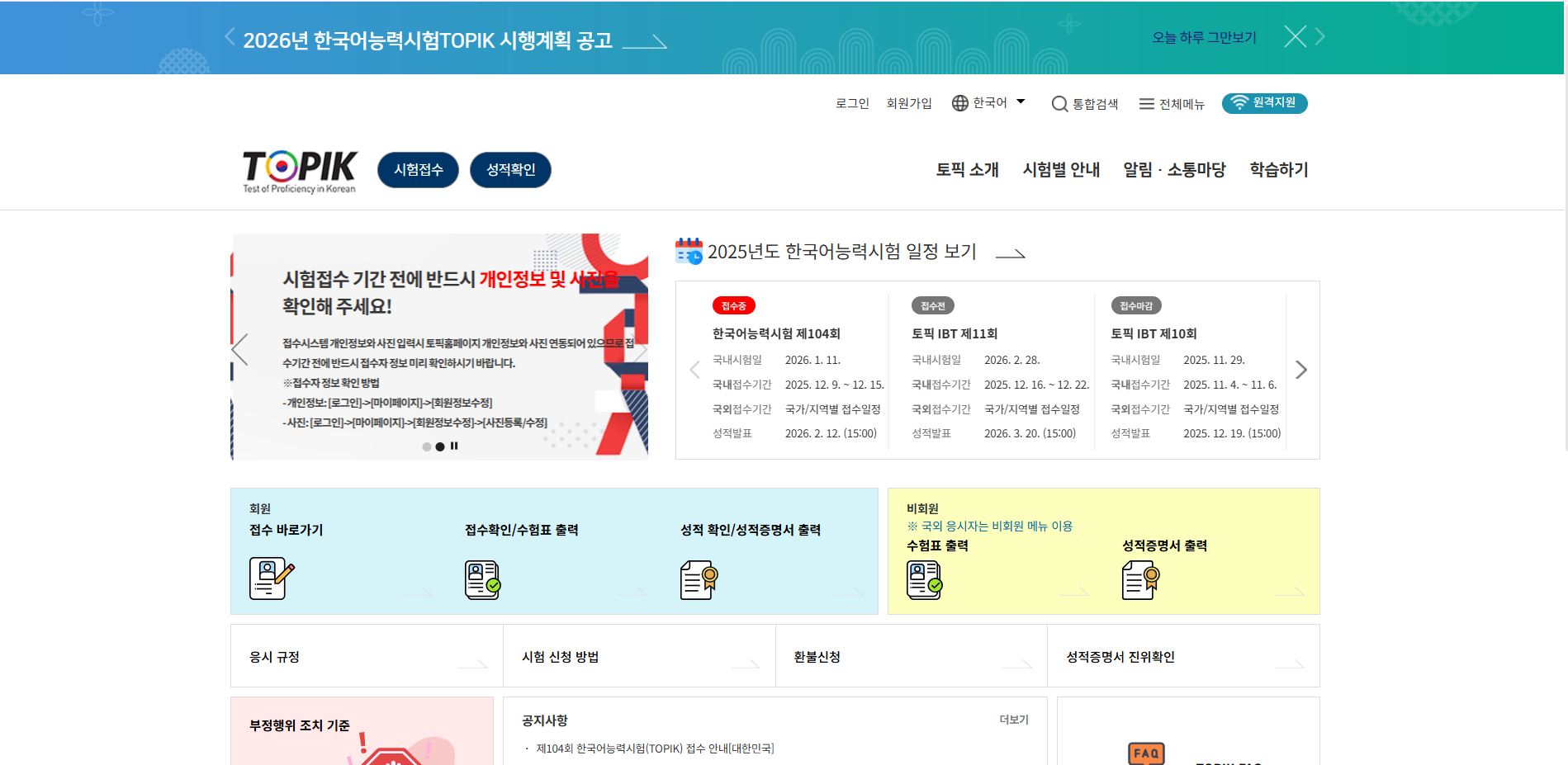
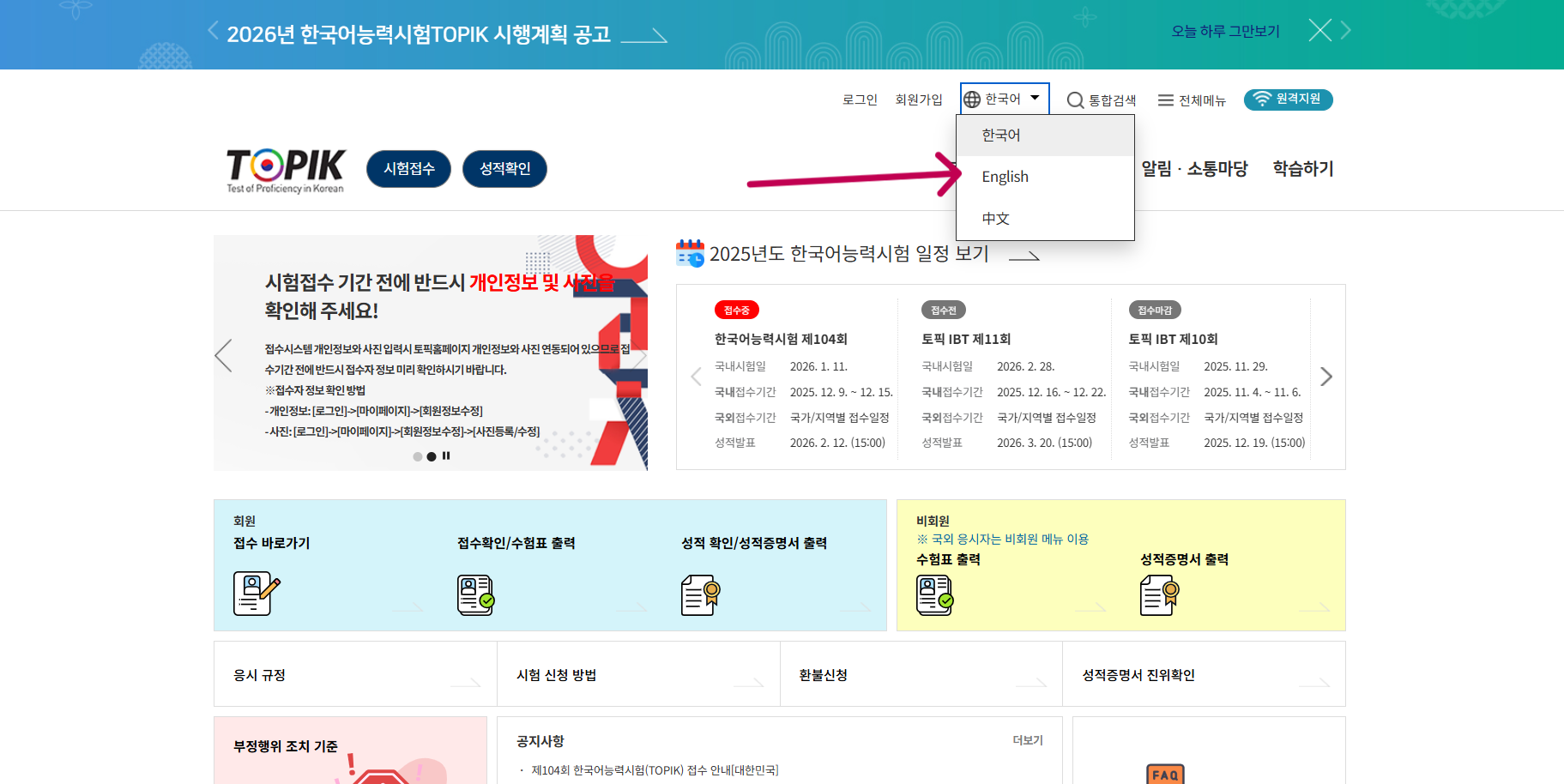
STEP 2 - Change Language to English (Optional)
If the page loads in Korean and you’re not comfortable reading it, switch the language to English using the option at the top of the site.
This will make navigation much easier.
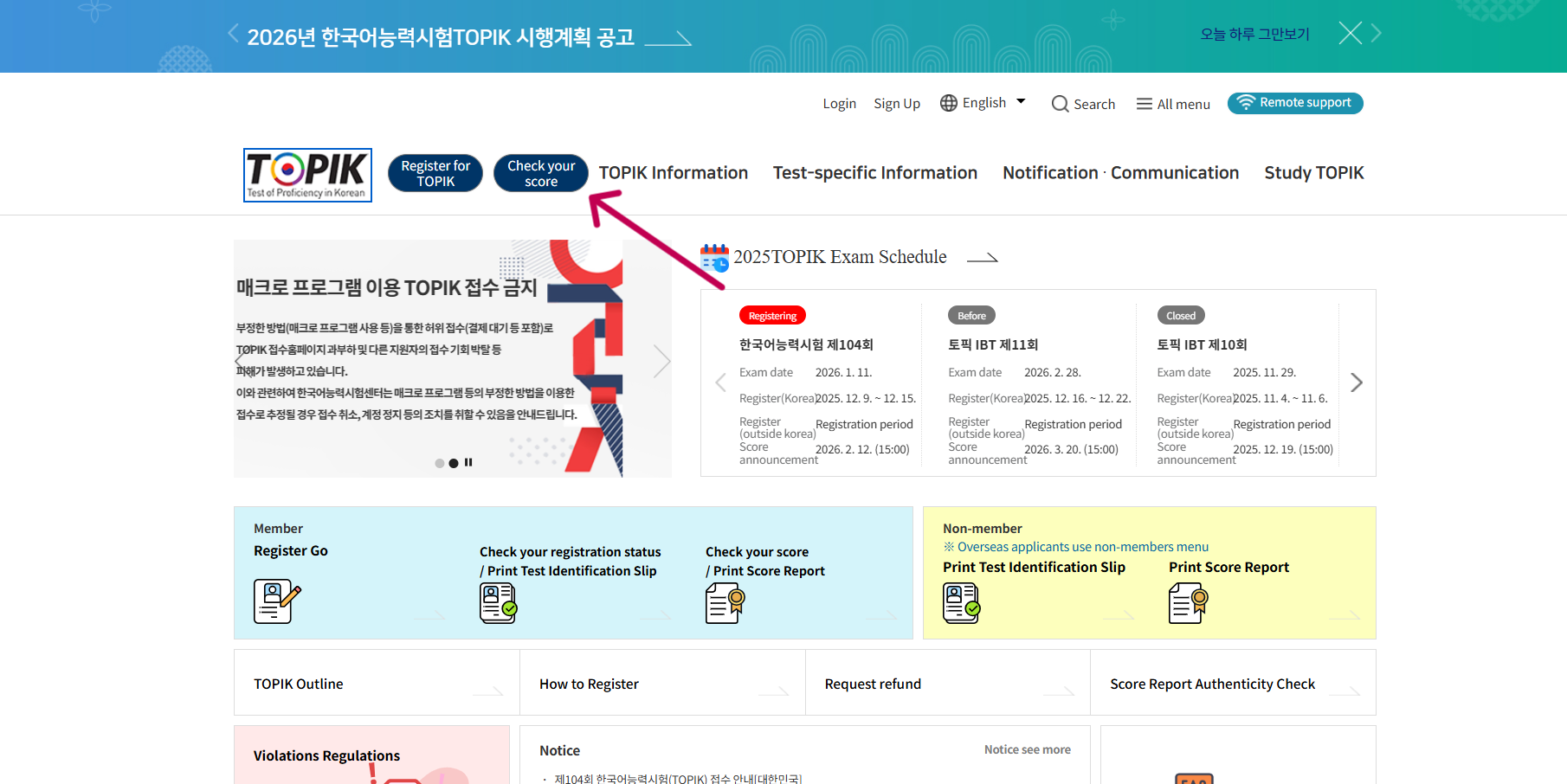
STEP 3 - Click “Check Your Score” (성적확인)
On the homepage, look for the button that says: 성적확인 — Check Your Score
Click it to open the results page.
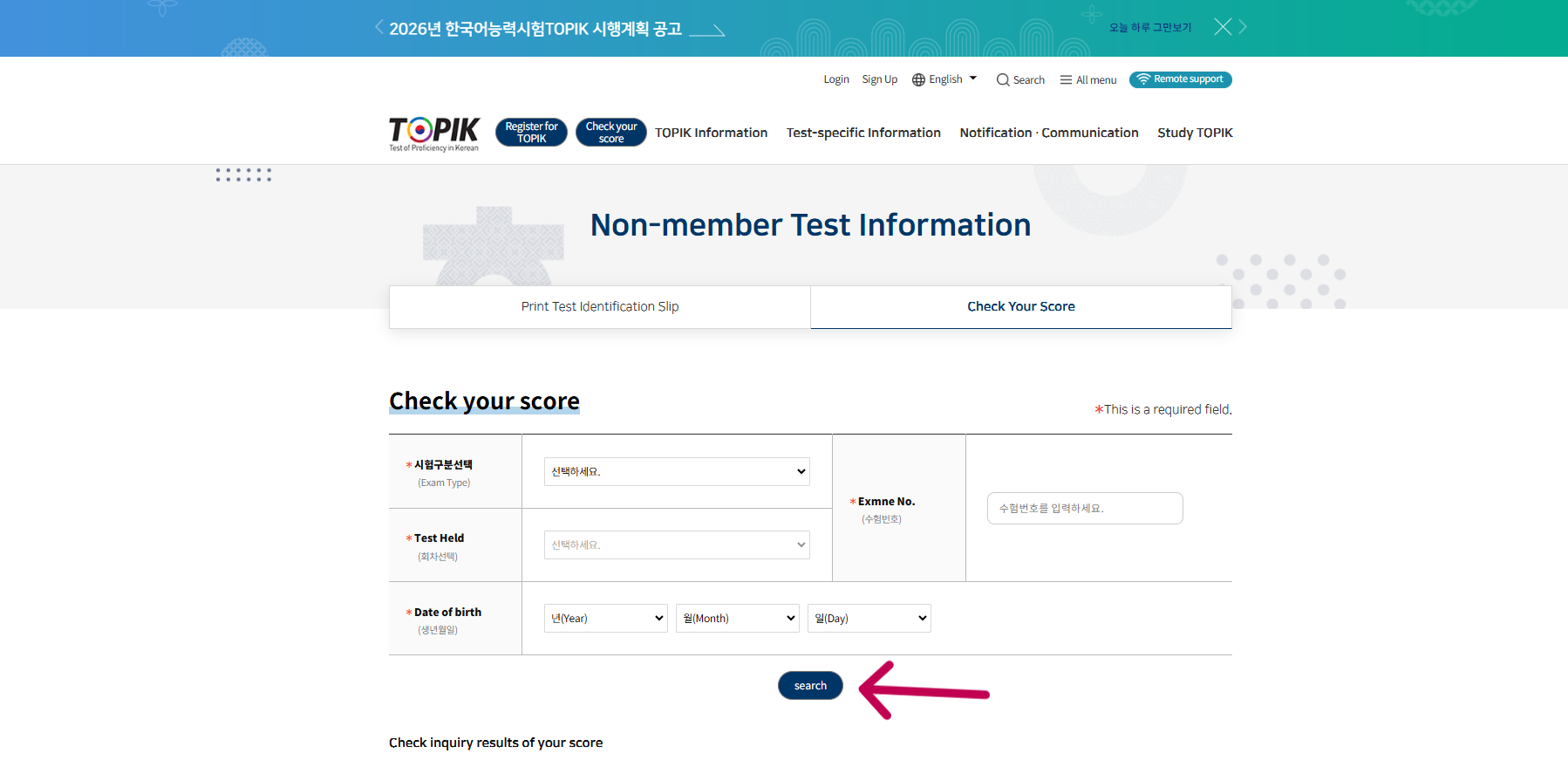
STEP 4 - Enter Your Test Information
You will now see a form asking for your exam details. Fill it correctly:
- 시험구분선택 (Exam Type): Choose PBT if you took the Paper-Based Test.
- 회차선택 (Session/Test Number): Select 제102회 (102nd TOPIK)
- 수험번호 (Registration Number): Enter your TOPIK hall ticket number.
- 생년월일 (Date of Birth): Select your date of birth.
After checking all details carefully, click 검색 (Search).
STEP 5 - View Your Result
Once you click search, your result will appear on the screen with:
- Your photo
- Your full name
- Total score
- Section-wise score (Listening, Reading, Writing for TOPIK II)
- Your assigned TOPIK level
Read everything carefully to confirm accuracy.
STEP 6 - Print or Download Your Score Certificate
Click 증명서출력 (Print Certificate) to:
- Download your official score report (PDF)
- Print it for visa, university, scholarship, or job applications
Remember, physical copies are not sent by post—the online PDF is your official certificate.
Important Notes for Test Takers
- Laptop/PC is recommended: The site may freeze or crash on mobile devices.
- Expect slow loading: Many students will check at the same time, so the website may be overloaded.
- Try checking late night or next day: This avoids peak traffic and loads faster.
- Keep your registration number handy: Without it, you cannot view your score.
TOPIK Certificate Validity
Your TOPIK score remains valid for 2 years from the date of the exam.
During this period, you can log in anytime and re-download your certificate.
If You Face Technical Issues
For printing or display errors, contact the TOPIK office at:
topik@korea.kr
Include your:
- Name
- Test session (102nd)
- Registration number
- Screenshot of the issue
Good Luck!
Wishing all 102nd TOPIK test-takers the best results!
If you’re planning to appear for the next TOPIK exam or want to strengthen your Korean foundation, our live Beginners and TOPIK-focused batches are now open for enrollment.
Check our upcoming batches here and see how our structured live classes, personalized support, and exam-oriented curriculum can help you achieve your TOPIK goals with confidence.